Choose between a six-axis and seven-axis arm by testing the required tool poses, surrounding obstacles and control workflow. A seventh axis can add configuration flexibility, but axis count alone does not establish greater payload, accuracy or task success.
XTIVOR's XTR-A600 and XTR-A700 provide two candidates for this comparison. The useful starting point is a task layout and an explicit definition of the delivered configuration, not simply a preference for the larger axis count.
What an extra axis changes
The pose of a rigid tool in three-dimensional space involves position and orientation. Modern Robotics explains the six degrees of freedom of a rigid body; this provides the basis for understanding why articulated arms commonly use six controlled joints for spatial positioning.
That does not mean any six-axis geometry can achieve every possible pose. Joint limits, link lengths, singularities and the installation layout restrict the reachable set.
A seven-joint arm can be kinematically redundant for a six-dimensional tool-pose task. In suitable configurations, the extra freedom allows different arm postures while maintaining the tool pose; research on 7-DOF inverse kinematics discusses using that freedom to manage configuration, obstacles and singularities.
These are general kinematic possibilities, not proof that a particular XTIVOR controller implements automatic obstacle avoidance or a specific redundancy-resolution strategy.
A buyer-oriented comparison
| Question | Six-axis arm | Seven-axis arm |
|---|---|---|
| Can it reach the required tool pose? | Check the actual geometry and joint limits | Check the actual geometry and joint limits |
| Can the elbow or intermediate links be repositioned while holding the tool pose? | Options depend on geometry and task constraints | An additional joint can provide redundancy, subject to configuration |
| Does it automatically avoid obstacles? | Requires appropriate planning and system implementation | Also requires appropriate planning and system implementation |
| Does axis count define payload or accuracy? | No; use documented specifications and conditions | No; use documented specifications and conditions |
| What should the acceptance trial demonstrate? | Complete task trajectory and control behavior | Complete task trajectory, including use of the additional joint |
The comparison should therefore include both mechanics and software. An extra joint only helps the project if the system can use it in the required motion.
Scenario 1: an open tabletop task
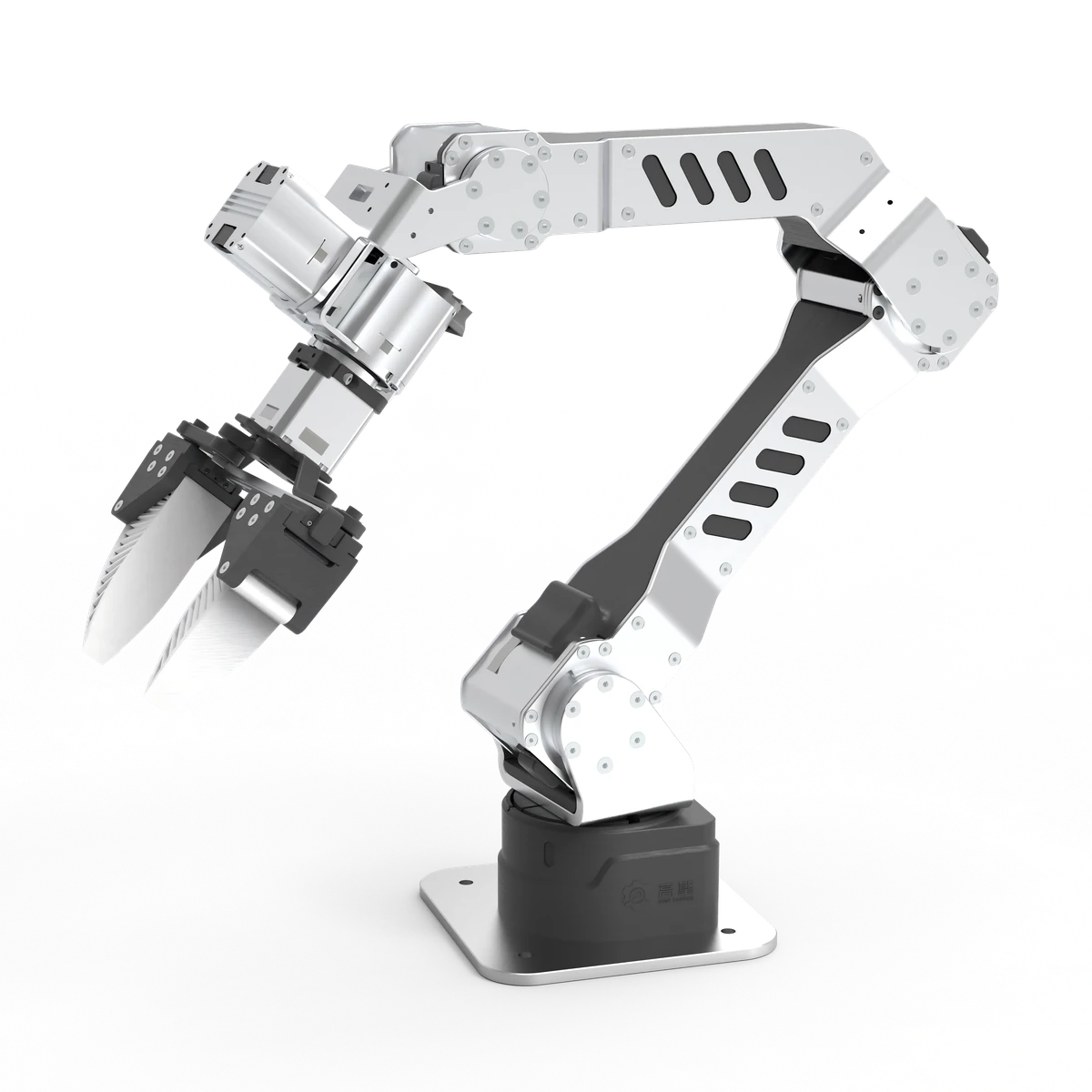
Suppose the arm moves a part between two accessible fixtures with clear approach paths. A six-axis candidate may satisfy the required position and orientation without the project needing extra posture control.
Check pickup, transfer, placement and withdrawal with the actual tool installed. If the trajectory fits the workspace and motion requirements, there is no need to assume that an additional axis will improve the task.
For XTIVOR, XTR-A600 is the six-axis candidate to evaluate. Its catalog maximum payload is 3.5 kg; confirm the payload definition, tool loading and software interface in the intended configuration.
Scenario 2: a constrained approach around equipment
Now suppose a camera stand, enclosure or fixture limits where the arm's intermediate links can move. A seven-axis candidate may offer useful posture choices while the tool approaches its target.
Ask for a motion review that includes the obstacles and the arm's entire body, not just the tool trajectory. Also establish how the host or controller chooses among possible postures and what happens near joint limits.
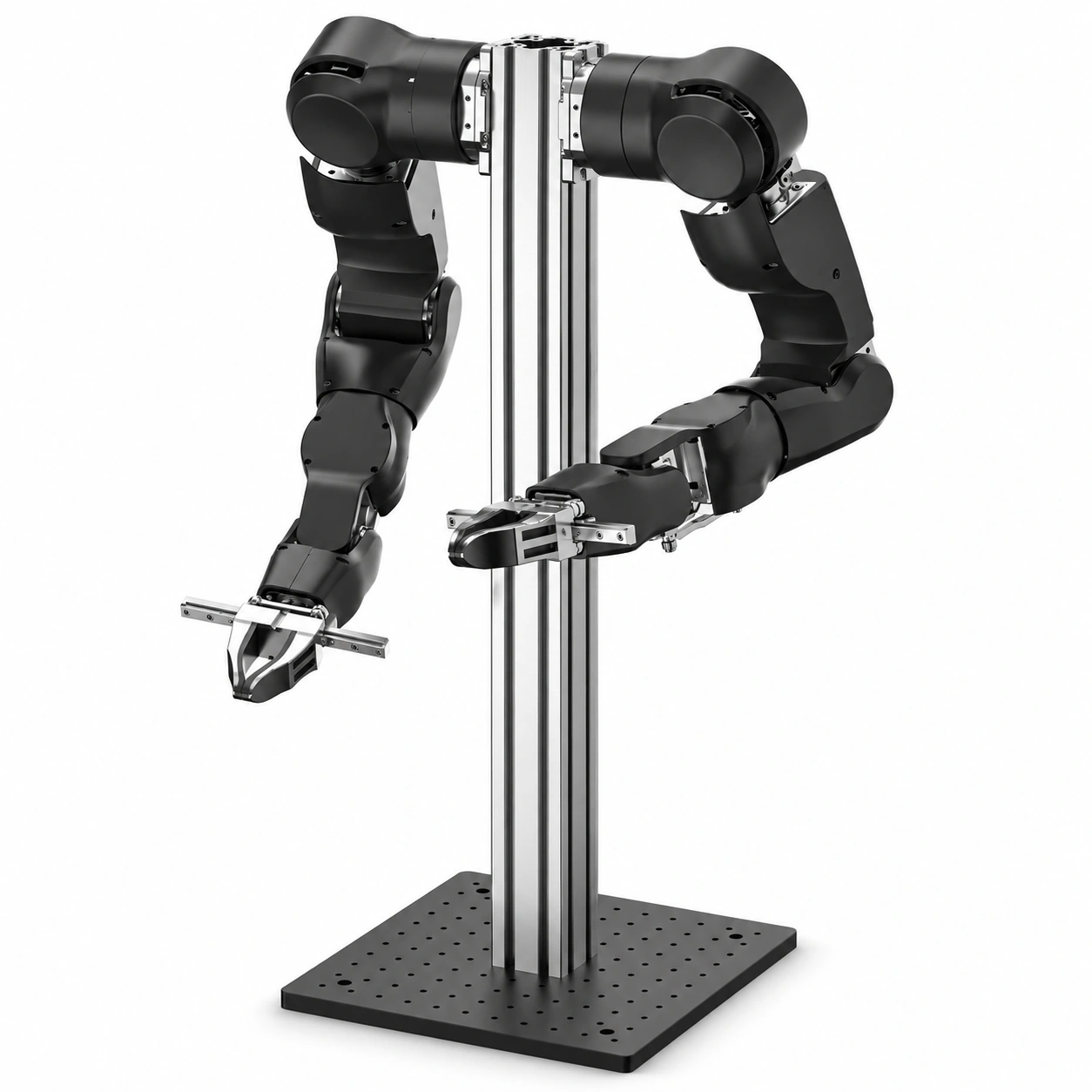
XTR-A700 lists seven axes and a maximum payload of 5 kg per arm in its product description. It can enter the shortlist, but obstacle handling and task performance still need validation for the delivered system.
Scenario 3: two-arm demonstrations
The decision to use two arms is separate from the number of axes on each arm. A task may require two contact points, one arm holding an object while the other manipulates it, or a coordinated handoff.
Define the number of arms first, then compare geometry, spacing, tooling and coordination requirements. Confirm whether an XTR-A700 quotation includes one or two arms; the dual-arm product illustration is not a substitute for an itemized package list.
For teleoperation, also decide how an operator controls the arms and how the recorded action represents both sides. More joints can introduce additional decisions about posture control and data representation.
Compare the complete procurement requirements
| Requirement | What to obtain before selecting |
|---|---|
| Tool and object loading | Total attached mass, center of gravity and applicable payload limits |
| Workspace | Base location, tool poses, link geometry and joint limits |
| Integration | SDK, supported environment, command and feedback access |
| Motion control | Required trajectory behavior and supported planning interfaces |
| Package contents | Arms, grippers, controllers, mounts, cables and power items |
| Project acceptance | A representative task with defined completion conditions |
Keep software responsibilities explicit. A robot can expose a low-level interface without supplying the complete planner, teleoperation mapping or recording application your project needs.
Frequently asked questions
Is a seven-axis arm always more precise?
No. Accuracy and repeatability depend on documented performance, calibration, mechanics and operating conditions, not simply the number of joints.
Does a seven-axis arm replace the need for two arms?
No. Additional articulation does not create a second independently positioned tool or contact point.
Should a robot-learning lab choose seven axes by default?
Start from the tasks, desired observations and actions, hardware access and integration resources. Validate the proposed configuration rather than choosing from axis count alone.
Compare your task with XTIVOR
Explore robotic manipulation and teleoperation applications. Email jennie@xtivor-robot.com with the working layout, required tooling and quantity for a configuration-specific quotation.