Choose a low-profile robot joint actuator by its complete installed envelope, required torque and motion cycle. A thin housing can help when one dimension of your mechanism is constrained, but the mounting plate, output connection and cables also need space.
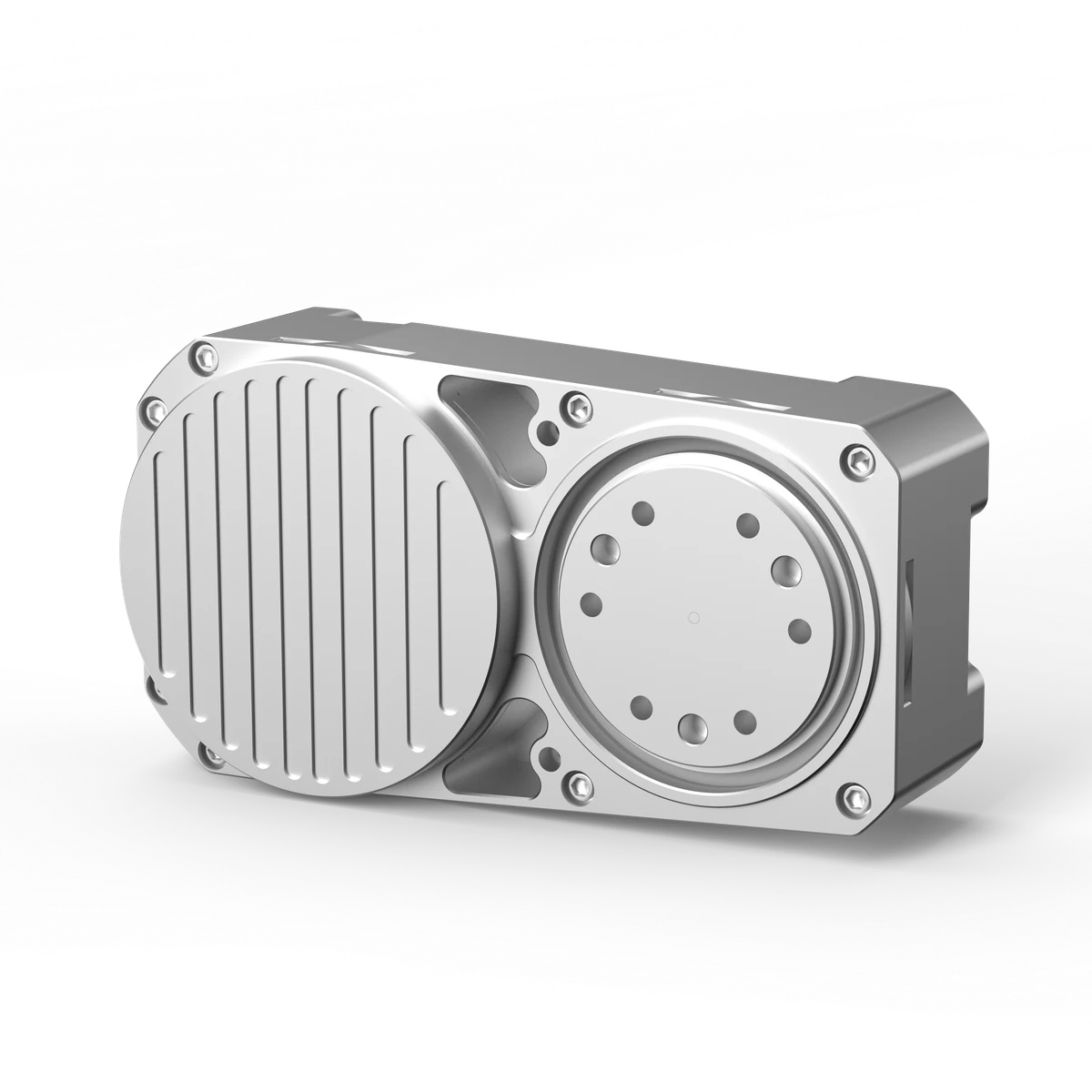
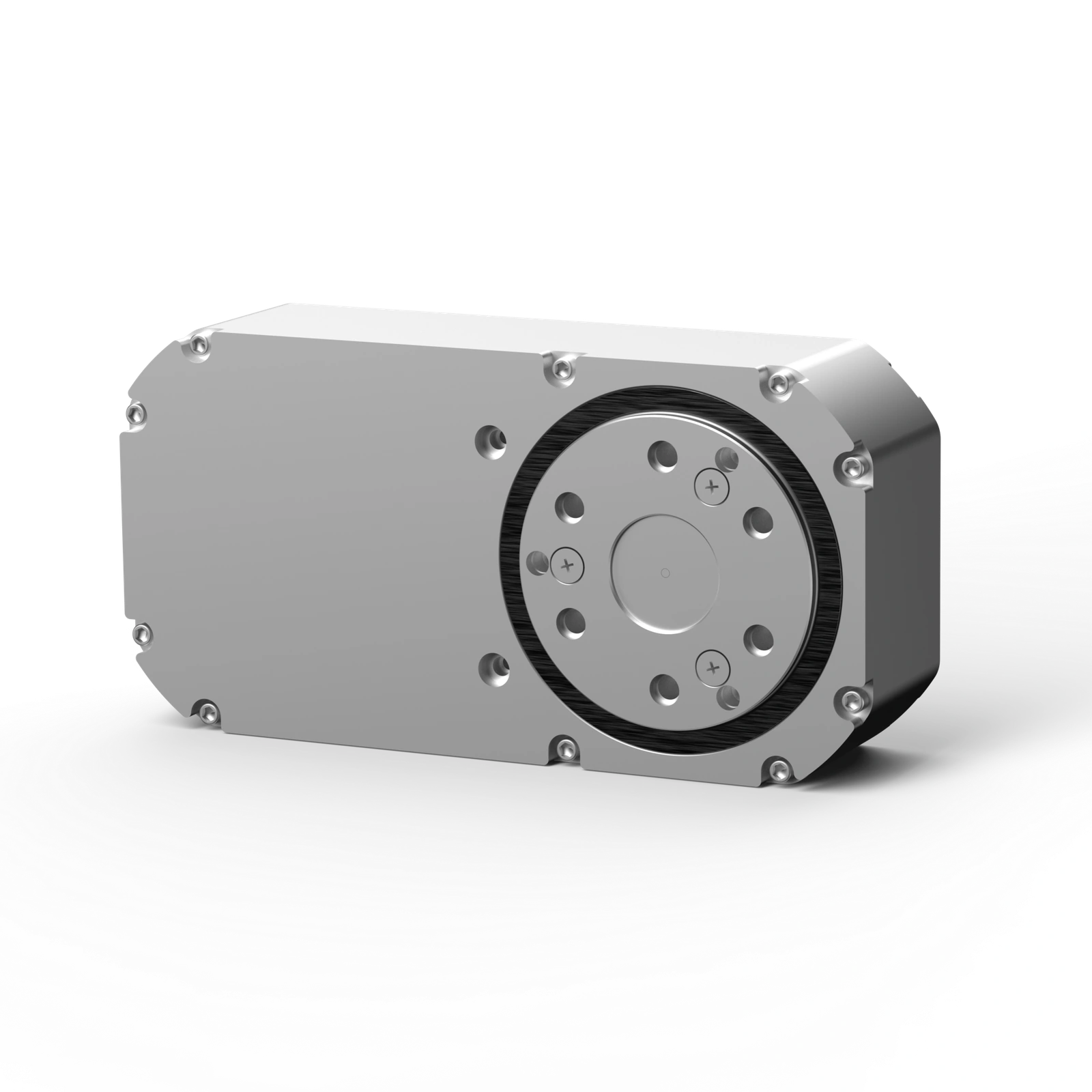
XTIVOR's XTR-J111 and XTR-J112 are thin joint modules with catalog-listed heights close to 37 mm. They offer different torque, speed, weight and planar dimensions. This guide explains how to compare them for a custom arm, articulated prototype or other joint-integration project.
When a thin joint is worth considering
Start by identifying the dimension that limits your design. You may be fitting a joint between structural plates, preserving clearance between adjacent links or packaging an actuator under a shallow cover. In each case, a lower housing height is useful only if the module also fits in the other directions.
Mark the available space on a sketch and show the output-axis orientation. Include the moving links and neighboring components through their intended travel. A module that fits at the home position can still interfere with the mechanism elsewhere in the motion.
For candidate hardware and installation considerations, explore thin-joint integration.
Compare height, footprint and moving mass together
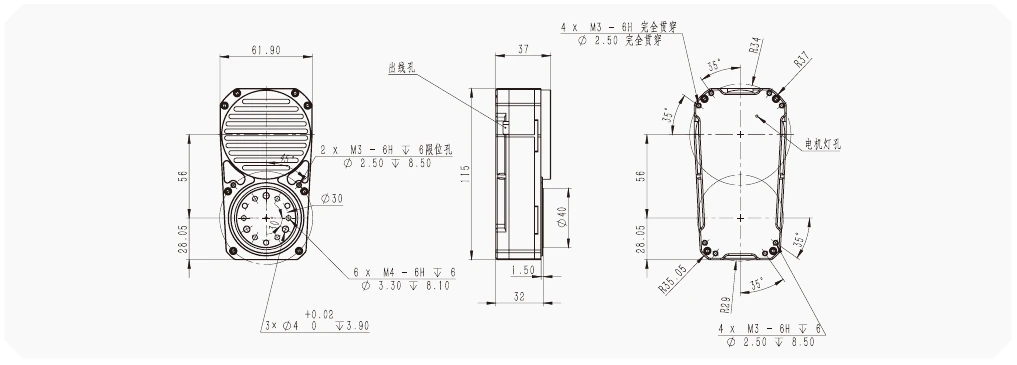
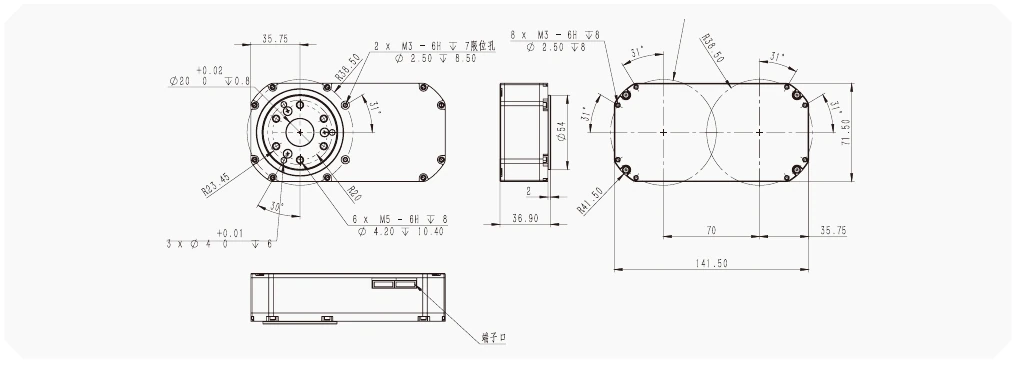
Use the installation drawing to interpret the catalog's length, width and height in your assembly. The table below preserves the catalog labels; it does not establish an interchangeable mounting interface.
| Catalog specification | XTR-J111 | XTR-J112 |
|---|---|---|
| Length and width | 115 × 61.9 mm | 140.5 × 71.5 mm |
| Height | 37 mm | 36.9 mm |
| Weight | 558 g | 808 g |
| Rated torque | 10 N·m | 20 N·m |
| Rated speed | 50 rpm | 40 rpm |
| Reduction ratio | 35:1 | 33:1 |
| Rated voltage | 24 V | 24 V |
| Communication | CAN FD / CAN | CAN FD / CAN |
| Indicative guide price | USD 400+ | USD 400+ |
J112 has a slightly lower listed height but a larger footprint and 250 g more mass. It also lists higher rated torque and a lower rated speed. Choose between them using the operating point and available space, rather than treating the height difference as the deciding factor.
The public prices are rounded planning estimates. Matching guide prices do not mean the final configuration or volume quotations will be identical.
Match torque and speed to the full cycle
For each axis, include the tool, carried object, links and downstream actuators in your load assessment. Specify acceleration, working poses, repeated movements and holding periods. Oriental Motor's sizing guidance explains why load, inertia, torque and speed belong in the same selection process.
J111 lists 10 N·m rated torque at a rated speed of 50 rpm; J112 lists 20 N·m and 40 rpm. Check their individual torque-speed curves against your required movement. If the joint will hold a load for long periods, request the relevant thermal and duty-cycle conditions for the installation.
The catalog separately lists stall torque of 36 N·m for J111 and 50 N·m for J112. These are not continuous operating ratings. See the rated-versus-stall torque guide for how to state your requirements.
Leave room for mounting, connectors and cables
A thin joint module needs more installation space than its bare housing. Check four parts of the assembly before freezing the design:
- Mounting: verify the fixing pattern, fastener access, locating features and any adapter plate.
- Output connection: check the flange or shaft interface and the attached link's clearance throughout travel.
- Electrical connection: include the connector body, cable exit direction and access for plugging or servicing it.
- Cable movement: reserve space for the cable path, strain relief and the bend radius appropriate to the selected cable and movement.
Cable requirements depend on how the cable moves. igus distinguishes fixed, occasional-flex and continuous-motion bending conditions. Use the selected cable's documentation rather than applying one universal bend-radius number.
Review the J111 installation drawing and J112 installation drawing against your proposed mounting arrangement.
Check external loads and controller requirements
Output torque does not establish the permissible axial, radial or overturning loads on the joint. Share your load direction and offsets, and request the applicable bearing and mounting limits. Confirm whether the mechanism needs additional support before relying on the module to carry those loads.
Both models list CAN FD / CAN. Confirm the connector pinout, command protocol, control modes and host interface for the delivered revision. The shared bus label does not establish software compatibility or guarantee the same controller setup. The CAN and CAN FD guide covers the questions to ask.
Prepare a useful prototype or volume inquiry
Send XTIVOR a short requirements sheet with:
- Available length, width and height, plus the mounting orientation.
- A load diagram, target torque and speed, and the intended motion cycle.
- Connector clearance, cable routing and any enclosure or cooling constraints.
- Controller, software environment and required feedback.
- Prototype quantity, expected volume and delivery destination.
Ask the quotation to identify the supplied revision, configuration, unit price, availability and lead time. Review the selected module in the assembled mechanism before using prototype results to define a volume order.
Frequently asked questions
Is the thinnest joint always the smallest installation?
No. Compare all dimensions and the installed assembly. J112's listed height is 0.1 mm lower than J111's, while its length, width and weight are greater.
Can J112 directly replace J111?
Interchangeability has not been established. Compare the mounting and output interfaces, external-load limits, speed requirements and controller configuration before substitution.
Can either module serve as a shoulder, elbow or wrist joint?
Joint names alone do not establish suitability. Evaluate the loads, motion and installation space of that particular axis, including the mass of everything it supports.
Discuss your thin-joint design with XTIVOR
Compare XTR-J111 and XTR-J112, then email jennie@xtivor-robot.com with your space constraints and operating requirements. Request exact configuration pricing and prototype or volume purchasing information.